

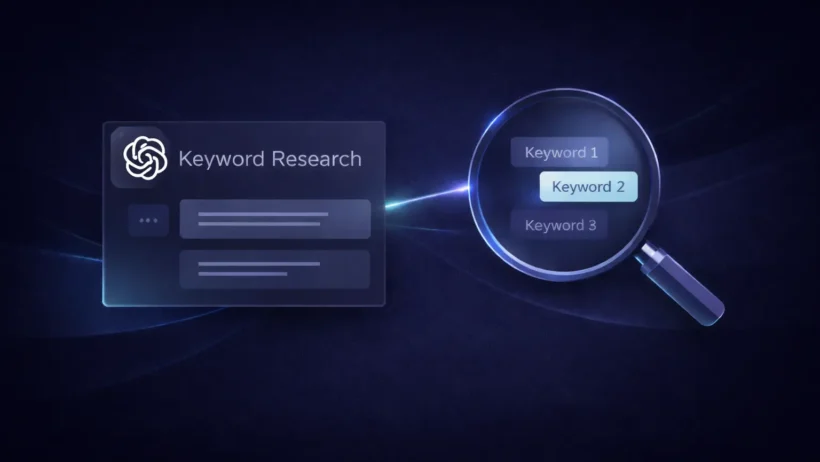

If you use ChatGPT for keyword research the lazy way, you usually get the same tired list everyone else gets. Broad head terms. Predictable modifiers. Thin topic ideas that sound fine but do not lead anywhere useful. The fix is simple: stop asking ChatGPT to invent keywords from nothing, and start using it to analyze real language, real queries, and real audience context.
That approach fits what ChatGPT is actually good at. OpenAI says ChatGPT can search the web for timely answers with linked sources, use Deep Research for multi-step research across the public web and uploaded files, and analyze files and spreadsheets through its built-in tools. Google Search Console, meanwhile, shows which queries are already surfacing your site in Search, plus clicks, impressions, CTR, and page-level performance. Put those together, and ChatGPT becomes much more useful as a keyword analysis partner than as a random idea machine.
The short answer
The best way to use ChatGPT for keyword research without getting generic ideas is to feed it real inputs first:
- your Google Search Console queries
- your existing pages
- your audience type
- your product or service angle
- competitor positioning
- the specific outcome you want, such as topic clusters, low-CTR opportunities, or long-tail variations
Once you do that, stop asking for “best keywords.” Ask for patterns, gaps, search intent buckets, content angles, and modifier combinations. That is where ChatGPT starts producing ideas that feel tailored instead of recycled. Google’s Performance report shows the exact queries most likely to show your site, and OpenAI’s tools let ChatGPT work from uploaded files, search the web, and synthesize structured findings with citations when needed.
Why ChatGPT gives generic keyword ideas
ChatGPT gets generic when your prompt is generic.
If you type something like “give me keywords for fitness” or “find blog ideas for SEO,” the model has almost no constraints. So it defaults to broad, statistically common phrasing. That is not a product flaw as much as a workflow problem. ChatGPT can follow complex instructions and adapt to context, but it still needs that context. OpenAI’s capabilities overview explicitly says it can follow complex instructions, use tools, and adapt its responses to the conversation context.
There is a second issue too. Search Console reports queries as exact matches, and Google notes that many similar queries are effectively near-duplicates that should often be considered together. If you do not bring that real query language into the process, ChatGPT cannot help you spot meaningful clusters, because it is working from its general training and not from your search footprint.
What to give ChatGPT before you ask for keywords
Before you ask for ideas, give ChatGPT a proper research base.
At minimum, include:
- your niche
- your audience
- your offer or monetization model
- a list of current pages
- a list of top Search Console queries
- the pages with low CTR but decent impressions
- any customer questions, sales call notes, reviews, or community language you already have
This is where current ChatGPT features help. OpenAI says ChatGPT can analyze uploaded PDFs, presentations, spreadsheets, and other files, and can run data analysis on CSVs and structured data. That makes it practical to upload exported query sheets or content inventories instead of pasting everything manually.
How to use ChatGPT for keyword research without getting generic ideas
1. Start with Search Console queries
Your best non-generic keyword source is usually your own site.
Google says the Performance report shows the search queries most likely to show your site, along with clicks, impressions, CTR, and other performance data. It also says the Queries tab shows up to 1,000 top queries, with rare queries omitted for privacy reasons. That is a far better starting point than asking ChatGPT to guess what your audience might search.
A smart workflow is to export queries, then ask ChatGPT to do things like:
- group similar queries
- separate branded from non-branded
- find high-impression, low-CTR patterns
- identify queries that suggest commercial intent
- surface informational clusters that deserve new pages
Google also recommends treating many similar exact-match queries as the same idea for analysis purposes, which is exactly the kind of grouping ChatGPT can speed up once you give it the data.
2. Add audience and offer context
Keywords get better when the model knows who the content is for.
Do not just say, “I run a blog about email marketing.” Say, “I write for Shopify store owners doing $10k to $100k a month who want better email flows without expensive agencies.” That one move changes the output from broad marketing terms to more useful, high-intent language.
If you want fresher market language, ChatGPT Search can look up recent web sources with linked citations, and Deep Research can work across the public web, uploaded files, or specific sites you choose. That makes it useful for collecting wording from niche blogs, software documentation, industry communities, and competitor pages before you ask it to build keyword angles.
3. Ask for patterns, not lists
This is the biggest practical shift.
Instead of asking:
Give me 50 keywords for cold email
ask:
Here are 200 Search Console queries, 12 blog URLs, and my target reader. Group the queries by problem, buying stage, and page type. Then show me which clusters are too broad, which are underserved, and which could become original article angles.
That kind of prompt works better because it forces analysis. OpenAI says Deep Research is meant for multi-step questions that require aggregation and synthesis across multiple sources, and standard ChatGPT tools can work with uploaded files and structured data.
4. Cluster by intent and page type
Not every keyword deserves a blog post.
Some queries want a landing page. Some want a comparison page. Some want a quick answer. Some signal that the user is close to buying. ChatGPT becomes useful when you ask it to separate those intents instead of flattening everything into “blog topic ideas.”
Google’s Performance report lets you view queries and pages together, and it specifically points to CTR as a clue for whether users think your page answers their question well. That means you can use ChatGPT to inspect pages with decent impressions but weak CTR and ask whether the issue is title positioning, search intent mismatch, or the need for a different page type entirely.
5. Expand with modifiers and edge cases
This is where non-generic ideas usually appear.
Once ChatGPT has a real cluster, ask it to expand that cluster with:
- audience modifiers
- budget modifiers
- problem severity modifiers
- industry-specific versions
- beginner vs advanced phrasing
- tool comparison angles
- time-sensitive or situation-based variants
For example, a generic keyword like “email marketing automation” gets much more useful when it becomes:
- email marketing automation for one-product Shopify stores
- email automation flows for repeat purchase brands
- Klaviyo welcome flow mistakes for low-AOV stores
- how to fix email signup drop-off after checkout
Those are not pulled from a proprietary keyword database. They come from combining actual intent with actual context, which is the whole point of this workflow.
6. Turn clusters into content angles, not just keyword dumps
A keyword list is not a content strategy.
Once ChatGPT has grouped your data, ask it to turn each cluster into:
- one primary angle
- one supporting angle
- one likely search intent
- one ideal page type
- one stronger title direction
- one internal link target
- one reason this angle is more specific than a generic SERP clone
That is where the tool starts helping you publish smarter content, not just longer keyword spreadsheets.
Better prompts for non-generic keyword research
Here is a simple before-and-after version of the same task:
| Weak prompt | Better prompt |
|---|---|
| Give me keyword ideas for project management | I run a blog for small agency owners. Here are 150 Search Console queries and 20 existing URLs. Group the queries by problem and business stage, then show me underserved long-tail clusters that could become new articles or comparison pages. |
| Find SEO keywords for dog food | I sell premium dog food for sensitive stomachs. Based on these customer reviews and Search Console queries, identify purchase-intent and problem-aware keywords I can target with product pages, FAQs, and blog posts. |
| Give me blog ideas for accounting software | Analyze these competitor titles, my top low-CTR pages, and my current ranking queries. Show me topic clusters where search demand exists but my positioning is too broad or too generic. |
The pattern is the same every time. Give ChatGPT data, audience, constraints, and a decision task.
Mistakes to avoid
The first mistake is using ChatGPT as a keyword database. It is much better at interpreting language than at replacing first-party query data or specialist SEO metrics.
The second mistake is starting from broad categories instead of real evidence. Search Console already shows what queries surface your site and how pages perform on clicks, impressions, and CTR. Ignoring that and asking for random ideas is how you end up with generic output.
The third mistake is failing to merge similar queries. Google explicitly recommends considering many similar exact-match queries as the same idea when analyzing performance. If you do not cluster those variants, you will mistake repetition for opportunity.
The fourth mistake is asking for final answers too early. Use ChatGPT in stages:
- collect data
- group patterns
- extract intent
- expand modifiers
- shape content angles
- validate what is worth publishing
That sequence produces better ideas because it mirrors how keyword strategy actually works.
Final takeaway
If you want to use ChatGPT for keyword research without getting generic ideas, the trick is not a magic prompt. It is a better input stack.
Start with Search Console queries, existing page data, customer language, and clear audience context. Then use ChatGPT to group, interpret, expand, and prioritize. OpenAI’s current ChatGPT tools are well suited to that job because they can search the web, work with uploaded files, analyze structured data, and synthesize multi-source findings. Google’s Search Console gives you the first-party query signals that make the output specific. Put those together, and ChatGPT stops acting like a generic idea generator and starts acting like a useful keyword strategist.
FAQs
Can ChatGPT do keyword research on its own?
It can help with ideation, clustering, intent analysis, and topic expansion, but it works best when you give it real inputs such as Search Console query exports, page inventories, or source-backed web research. ChatGPT Search and Deep Research can work with web sources and uploaded files, while Search Console provides query and performance data.
What should I upload to ChatGPT for better keyword ideas?
Useful files include Search Console exports, content inventories, competitor title lists, customer review exports, and internal FAQ documents. OpenAI says ChatGPT can work with uploaded documents and structured files, including spreadsheets and CSV-style analysis workflows.
Why are my ChatGPT keyword ideas too broad?
Usually because the prompt is too broad. Without your query data, audience context, and content constraints, ChatGPT defaults to common phrasing instead of niche-specific opportunities. OpenAI’s own documentation emphasizes that ChatGPT follows instructions and adapts to context, which means better context produces better output.
Is Search Console better than ChatGPT for keyword research?
They do different jobs. Search Console shows real search performance data such as queries, clicks, impressions, CTR, and page relationships. ChatGPT is better for interpreting and organizing that data into clusters, angles, and next actions.