



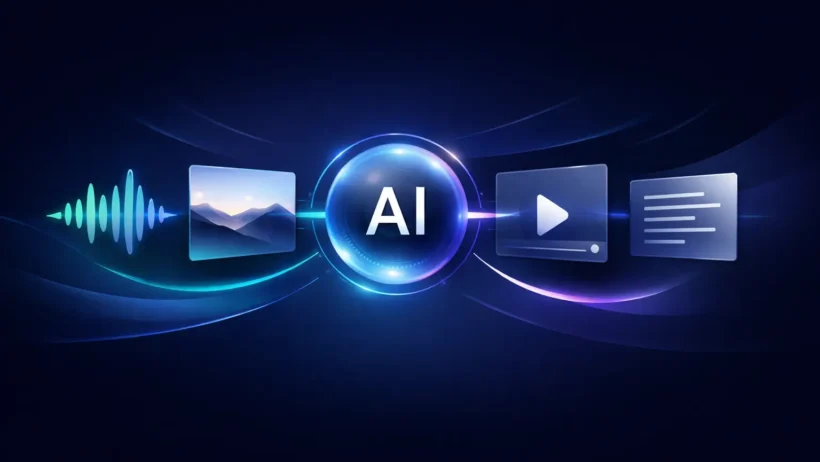

Multimodal AI means an AI system can work with more than one kind of input or output, such as text, images, audio, and video. The important part is not just that it accepts different file types. The real point is that it can connect those signals into one task, so a system can listen, look, read, reason, and respond in a more unified way. Google Cloud defines multimodal AI as models that can process a wide range of inputs and convert them into different output types, while OpenAI describes multimodality as a model’s ability to understand and generate content across text, images, audio, and video.
That is why multimodal AI feels like a bigger shift than a standard chatbot upgrade. A text-only model mainly works with words. A multimodal system can connect words to pictures, voice to text, video to timestamps, and documents to structured outputs. In practice, that is what makes features like image understanding, voice assistants, video search, and document extraction feel more natural and more useful.
What multimodal AI actually means
The simplest definition is this: multimodal AI works across multiple kinds of data instead of just one. Google says its multimodal models can process inputs like text, images, and audio and convert those prompts into different kinds of outputs. OpenAI uses nearly the same idea in its developer cookbook, describing multimodality as understanding and generating content across several input types.
What often gets missed is that “multimodal” does not always mean “one model does everything natively.” Some systems are truly native, where one model handles several modalities inside one architecture. Others are stitched together from specialized parts, such as speech recognition, a reasoning model, and text-to-speech. Both count as multimodal in real products.
How multimodal AI works at a high level
At a high level, most multimodal systems follow the same pattern. They first convert each input into a machine-readable form. Then they align those representations so the system can reason across them. Finally, they generate an output in the format the task needs, such as text, speech, an image, or a structured response. AWS describes multimodal embeddings as turning text, documents, images, video, and audio into numerical vectors, while Google says text and image embeddings can live in the same semantic space with the same dimensionality.
That shared representation is a big deal. It is what makes cross-modal behavior possible. A system can match a text query to an image, connect an image to a video clip, or use spoken input to retrieve written content because the system is comparing meaning, not just raw file types. AWS explicitly says Nova Multimodal Embeddings supports cross-modal retrieval, and Google says shared semantic space lets developers search image by text or video by image.
How text, image, video, and voice models work together
Text gives instructions and structure
Text is still the glue in many multimodal workflows. Even when a system can see or hear, text often carries the user’s intent, constraints, formatting rules, and follow-up questions. Google’s multimodal prompt guidance still emphasizes clear instructions, examples, task splitting, and output formatting, which shows that better multimodal systems still rely heavily on good textual direction.
In other words, text usually acts as the coordinator. You might upload an image, a video, and an audio clip, but the text prompt tells the system what to do with them: summarize, extract, compare, classify, or explain. Without that layer of intent, the system has data but not a job. Google’s own multimodal guidance says clear and detailed prompts produce the best results.
Images add visual evidence
Images give the system direct visual context. Google’s multimodal materials show examples such as extracting text from images, converting image text to JSON, and answering questions about uploaded images. OpenAI’s vision documentation likewise centers on image understanding and image-aware generation workflows.
This matters because text alone often leaves too much ambiguity. “What is wrong with this chart?” is a weak request without the chart. Once the image is present, the model can combine visual evidence with the user’s text instructions. That is when multimodal AI starts to feel less like autocomplete and more like an assistant that can actually inspect what you are talking about.
Video adds sequence and timing
Video is not just a bigger image. It adds order, movement, and often sound. Google’s Gemini video documentation says models can describe, segment, and extract information from videos, answer questions about video content, and refer to specific timestamps. That means the model is working not only with what appears in the clip, but also with when it appears.
This is why video understanding is usually more demanding than single-image understanding. The system has to keep track of scenes over time, sometimes across long files, and often alongside audio. Google’s Vertex AI documentation notes that long-video work depends on how video is processed into tokens, which affects both usage and cost.
Voice adds spoken input and spoken output
Voice usually involves at least two jobs: understanding speech coming in and producing speech going out. OpenAI’s audio and Realtime documentation says audio can be used as input, output, or both, and that the Realtime API supports multimodal inputs like audio, images, and text with audio and text outputs. Google’s Live API similarly supports sending text, audio, or video to Gemini and receiving audio, text, or function call requests back.
That is what makes modern voice systems feel more natural. Instead of turning speech into text, then waiting for a separate model, then converting text back into speech, some newer systems can handle speech interaction more directly. OpenAI’s voice guide calls this a speech-to-speech architecture, where one multimodal model processes audio in and audio out in real time.
Two common ways multimodal systems are built
Native multimodal models
In a native setup, one model handles several modalities inside a shared architecture. OpenAI’s introduction to GPT-4o described it as a natively multimodal model built to handle combinations of text, audio, and video inputs and generate text, audio, and image outputs. Google’s current Live API lineup also includes models for low-latency voice and video agents with native audio reasoning.
The advantage of the native approach is tighter coordination. Because the system is reasoning across modalities more directly, it can often respond faster and keep more of the interaction in one place. This is especially useful for live voice, video, and interactive assistants.
Chained systems that combine specialized models
The other common design is a chained system. In that setup, one model transcribes speech, another handles reasoning, and another turns the result back into speech or some other output. OpenAI’s voice guidance explicitly describes both a speech-to-speech setup and a chained architecture, and its older GPT-4o materials note that before GPT-4o, Voice Mode relied on three separate models.
Chained systems are still very common because they are practical. They let teams mix best-in-class components, reuse existing text systems, and swap pieces out more easily. The trade-off is that they can introduce more latency, more handoff complexity, and more room for context to get lost between steps. That trade-off is an inference from the fact that vendors still document both architectures rather than treating one as universally best.
Why shared semantic space matters
If you only remember one technical idea from this article, make it this one: multimodal AI becomes much more useful when different data types can be mapped into a shared semantic space. Google says text and image embeddings can occupy the same semantic space, and AWS says its multimodal embeddings map text, images, video, and audio into a unified semantic space for unimodal, cross-modal, and multimodal vector operations.
That is what enables things like searching for a product photo using a sentence, finding a video moment from a text question, or retrieving the right support screenshot from a spoken request. The system is not comparing raw pixels to raw words. It is comparing meaning across formats.
Real use cases for multimodal AI
One of the clearest use cases is document understanding. Google’s multimodal examples show image text extraction, JSON conversion, and reasoning over uploaded images, which is why multimodal systems are now used for receipts, forms, PDFs, charts, and screen captures.
Another is video understanding. Google’s docs show that current models can describe videos, answer questions about them, and point to timestamps. That makes multimodal AI useful for media search, compliance review, sports clips, learning tools, and internal video libraries.
Voice assistants are another strong fit. OpenAI and Google both now document real-time systems that combine spoken input, model reasoning, and spoken or action-based responses. That is why voice agents are moving beyond simple transcription toward live, interactive assistance.
A final use case is multimodal retrieval for agents. AWS positions multimodal embeddings as a foundation for multimodal agentic RAG systems, which makes sense because agents increasingly need to search across documents, screenshots, recordings, videos, and text instructions at the same time.
Where multimodal AI still struggles
The first limitation is that capability still varies a lot by model. “Multimodal” does not guarantee one model can take every input and generate every output. OpenAI’s current model docs, for example, say its latest general models support text and image input with text output, while other modality combinations are handled through separate image or realtime models. Google’s docs likewise list separate live, image, video, and other model types alongside general Gemini models.
The second limitation is that multimodal systems still depend heavily on context and prompt design. Google’s multimodal prompt guide spends a lot of effort on specifics like clear instructions, examples, focusing on the relevant part of an image, and splitting complex tasks into smaller steps. That is a sign of maturity, not weakness, but it also shows these systems are not magic. Better inputs still produce better outputs.
The third limitation is cost and complexity, especially for long video and live voice. Google’s video guidance says video processing is tied to token usage and billing, and vendors still document architecture choices for voice because the trade-offs are real. The richer the input, the more careful the system design usually needs to be.
Final takeaway
Multimodal AI is best understood as coordinated understanding across formats. Text gives intent. Images add visual proof. Video adds sequence and time. Voice adds spoken interaction. The system works when those signals are either handled natively in one model or orchestrated well across several models and tools.
That is the real answer behind the phrase “multimodal AI explained.” It is not just AI that accepts more file types. It is AI that can connect meaning across text, image, video, and voice well enough to do more useful work. The better these systems get at combining those signals, the more natural AI products will feel in research, creation, search, support, and automation.
FAQs
Is multimodal AI always one model?
No. Some systems are native multimodal models, while others chain together specialized components such as speech recognition, a reasoning model, and text-to-speech. Both approaches are used in current products.
Does multimodal AI always include video and voice?
Not necessarily. Multimodal simply means more than one modality. A system can be multimodal with just text and images, or it can extend to audio and video too.
Why is text still so important in multimodal systems?
Because text usually carries the instruction, constraints, and desired output format. Even advanced multimodal systems still depend on strong prompt design for better results.
What is cross-modal retrieval?
It is the ability to search one modality with another, such as finding an image with a text query or retrieving a video with an image example. Shared semantic space is what makes that possible.